Configuration Restore
This option restores OVOC topology and OVOC Web configuration. The following data is restored:
|
■
|
QOE Status and Alarm definitions |
|
■
|
The entire configuration performed under System Configuration and System Administration menus |
Data is restored from the following backup files:
|
■
|
emsServerBackup_<version>_<time&date>.tar |
|
■
|
ovocConfigBackup_<version>_<time&date>.tar.gz |
The restore process deletes all currently stored data as described above.
Data that is retrieved from managed devices is not backed up, including: Alarms; Calls& SIP ladder; QoE & PM statistics; Users; Journals and Floating license reports.
|
➢
|
To run the configuration restore operation: |
|
1.
|
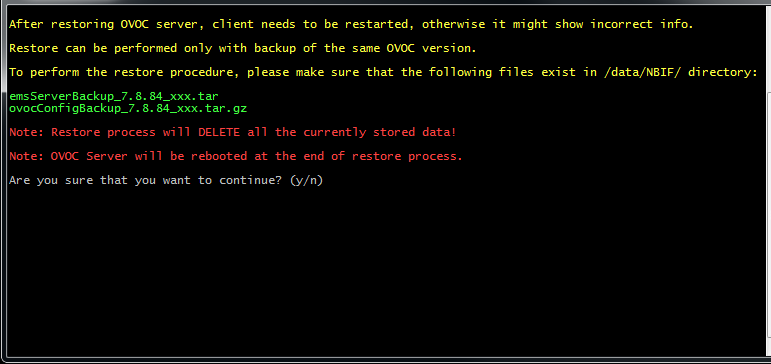
Select option Configuration Restore. A screen similar to the following is displayed: |
Configuration Restore Prompt
|
2.
|
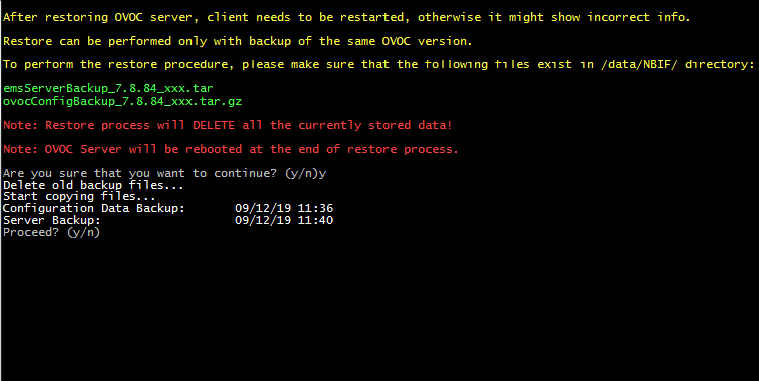
Type y to proceed. A screen similar to the following is displayed: |
Configuration Restore-Confirm
|
4.
|
After the restore operation has completed, you are prompted to reboot the OVOC server. |